Chapter 1 of 11
9%
Libraries and Frameworks
There are many platforms that can be used to code VRC Robots. The two main ones are VEXCode V5 and PROS by Purdue which will both use C++ as its main programming language. In this tutorial, we will be using PROS.
Creating a New Project
To create a new project, you will first have to install Visual Studio Code (VSCode) on your device. Head to this Download Link to install (VSCode).
Once you have finished installing, you will need to install the PROS Extension on VSCode. Look for the extensions icon on the left side of your screen

After you have installed PROS and the PROS CLI (Command-Line Interface), you will a PROS extension icon on the left. Click that extension and click "Create Project"

Follow the instructions on VSCode and make sure you choose a file location where you will remember. You should select v5 and the latest version if it prompts you to.
Alternative Way
Alternatively, if that method does not work for whatever reason, you can use the terminal to create a new project. Only use this method if you are more advanced or the method above does not work. Start by making an empty folder, then open a new PROS Terminal under that folder and run the following command:
pros c new-project ./ v5 3.8You should get the same result from either method. Your folder structure should look something like this:
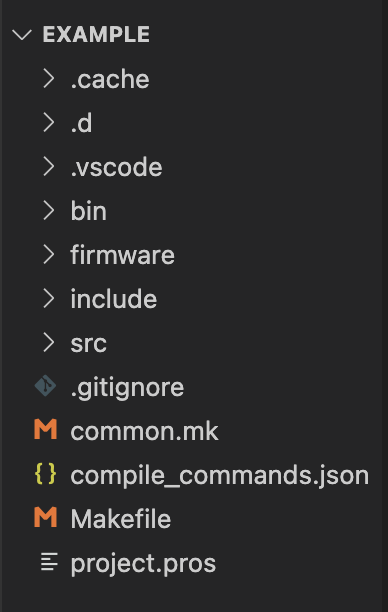
We'll go over what's in each of these folders in the next lesson so don't let all these files overwhelm you.
Building & Uploading Code
The first time you upload new code to a Brain, we recommend that you plug it directly into the Brain, any other time, plug it into the controller.
To build a project, run the following command:
pros buildTo upload a project, run the following command:
pros uploadTo build and upload a project, run the following command:
pros muRemember that everytime you make a change to your code, you are going to have to build and upload it for your changes to be there.